2024-03
Automated Service Note Transformation System
Translating internal technical jargon into clear customer communications
Overview
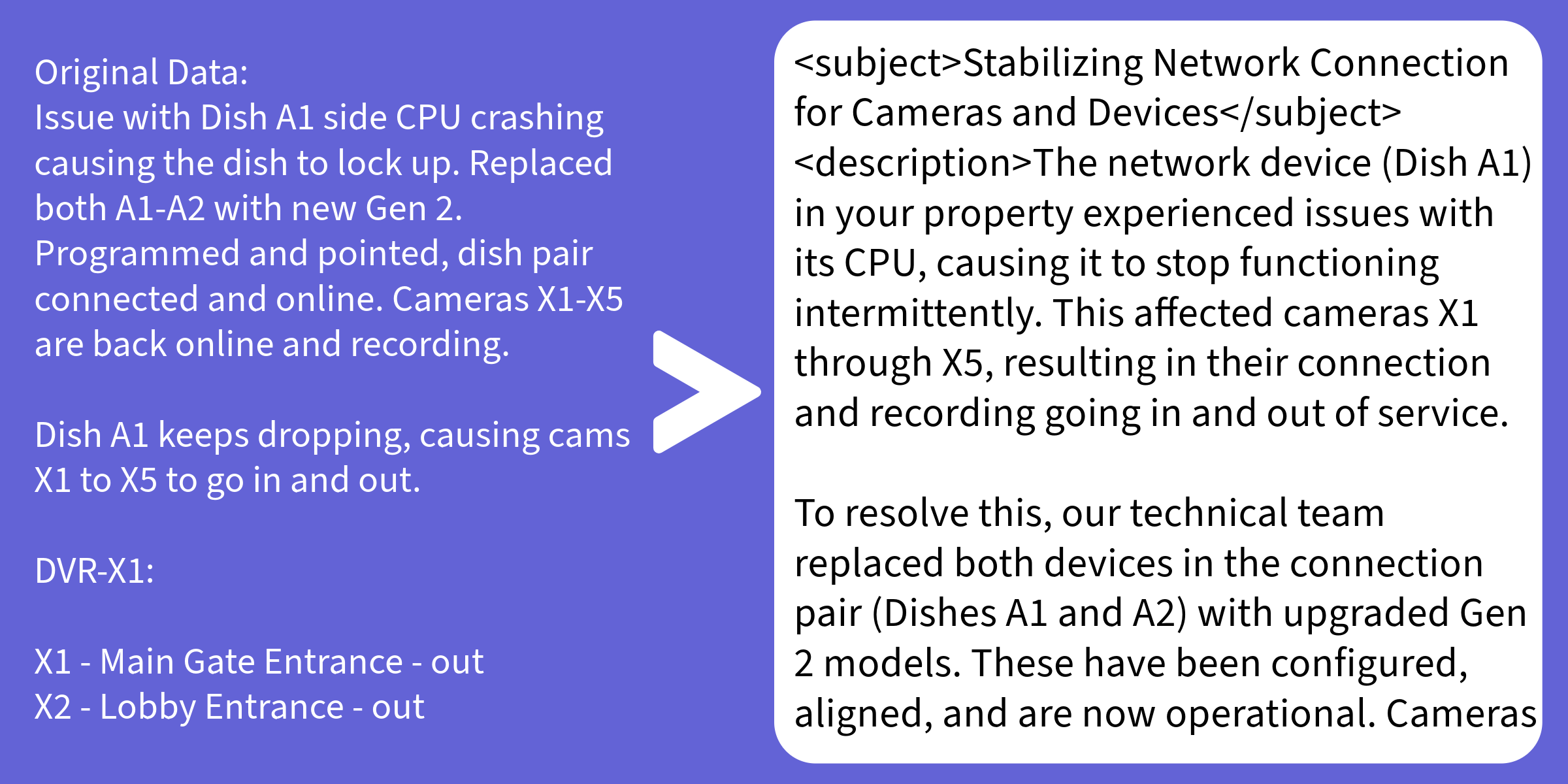
Field technicians write service notes for other technicians. The vocabulary is terse, internal, and often alarming to a layperson — "VOX devices offline, running remote diagnostics" is technically accurate but not what a customer should receive verbatim.
This system sits between the internal ticketing workflow and the customer-facing communication layer. It takes a raw service note from MySQL, runs it through Llama 3.5 with alert-type-specific prompting, and writes back a professional, appropriately scoped customer message — all without human intervention.
How It Works
Database Integration
The system polls a MySQL table for new or updated service notes. Each record has an original_note, a transformed_note (initially null), and a revision_counter to track regenerations.
def fetch_pending_notes(conn):
    cursor = conn.cursor(dictionary=True)
    cursor.execute("""
        SELECT id, subject, description
        FROM service_notes
        WHERE transformed_note IS NULL
        ORDER BY created_at ASC
        LIMIT 50
    """)
    return cursor.fetchall()

def write_transformed_note(conn, note_id, subject, body):
    cursor = conn.cursor()
    cursor.execute("""
        UPDATE service_notes
        SET transformed_subject = %s,
            transformed_note = %s,
            revision_counter = revision_counter + 1,
            transformed_at = NOW()
        WHERE id = %s
    """, (subject, body, note_id))
    conn.commit()
Alert-Aware Prompt Engineering
Generic transformation prompts produce generic output. The key insight was that different alert categories require fundamentally different customer messaging strategies — a device-offline alert needs to communicate confidence and control, not expose system internals.
def build_prompt(subject: str, description: str) -> str:
    if "vox devices offline" in subject.lower() or \
       "vox devices offline" in description.lower():
        context = (
            "When Vox devices go offline, communicate minimal technical "
            "detail and reassure the customer that diagnostics are underway."
        )
    elif "device(s) down" in subject.lower() or \
         "device(s) down" in description.lower():
        context = (
            "For device-down alerts, acknowledge the issue without "
            "speculating on cause. Confirm active monitoring."
        )
    else:
        context = (
            "Transform this note into a professional customer update. "
            "Be informative but avoid internal jargon."
        )

    return f"""
You are writing a customer-facing service update for a physical security company.

Tone guidelines:
- Authoritative and confident — never apologetic
- No internal jargon, model numbers, or diagnostic details
- Use <subject> tags for the message subject line
- Use <description> tags for the message body

Context for this alert type: {context}

Original note:
Subject: {subject}
Description: {description}

Transformed customer message:
"""
Output Parsing
The model wraps its output in XML-style tags, making extraction reliable without regex fragility:
import re

def extract_fields(raw_output: str):
    subject = re.search(r"<subject>(.*?)</subject>", raw_output, re.DOTALL)
    description = re.search(r"<description>(.*?)</description>", raw_output, re.DOTALL)
    return (
        subject.group(1).strip() if subject else "",
        description.group(1).strip() if description else raw_output.strip()
    )
Design Choices
Structured output over JSON. XML-style tags are more forgiving than JSON when the model writes multi-line content — no escaping issues, no trailing comma errors.
Alert categorization at the prompt level. Rather than fine-tuning or classification models, the branching logic is in Python. It's cheap, transparent, and trivially editable by anyone on the team without touching ML infrastructure.
Revision tracking. Every transformation increments a counter. If a customer calls about a confusing message, the team can pull the original note, the transformed version, and how many times it was re-run.
Outcome
Eliminated a daily manual task where a support coordinator would read tech notes and manually rewrite customer emails. The resulting messages are more consistent in tone than human-written ones, and customer confusion calls related to alarm events dropped measurably in the months after deployment.